

Search for topics or resources
Enter your search below and hit enter or click the search icon.
With Savings Goals in Skyla’s Digital Banking, you can set up multiple goals, connect them to one savings account, and choose how you want to make progress — focus on one goal at a time or move toward several at once.

Watch your savings grow and see how close you are to each goal with simple, visual tracking.

Save your way! Focus on one goal or split your savings across multiple goals based on what matters most to you.

Keep all your goals in one place without opening multiple accounts, so everything stays simple and easy to manage.
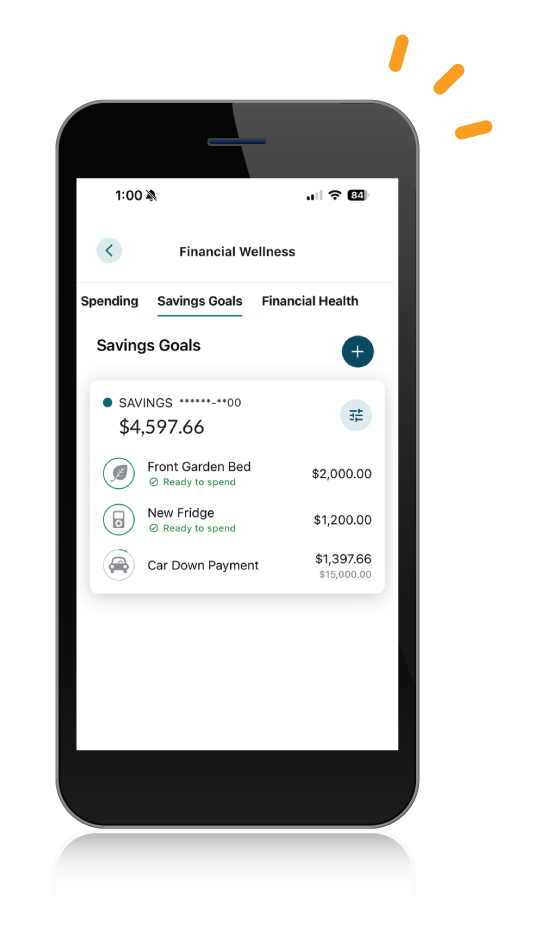

Create multiple goals and split your savings between them

Set a target amount for anything and everything you're saving for

Pick a goal date to stay on track and keep your savings moving forward

Track your savings as you move closer to your goals
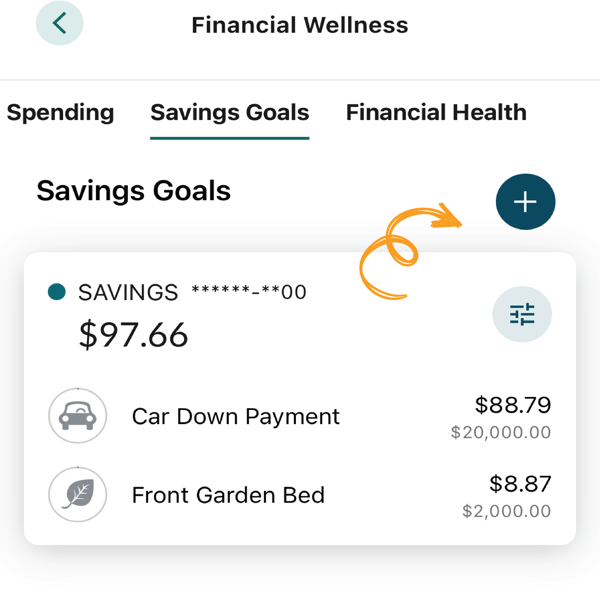
Tap the blue "+" sign and choose the savings account you'd like to use for your goal.
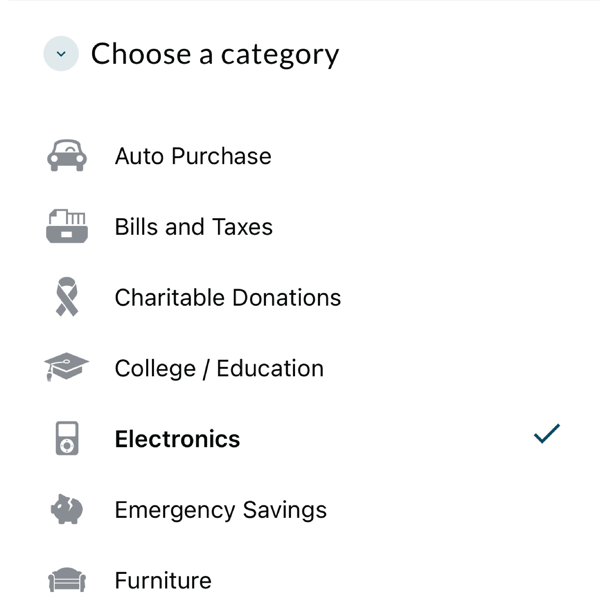
Pick from a wide range of options to categorize your goal. This comes in handy when multiple goals are made!
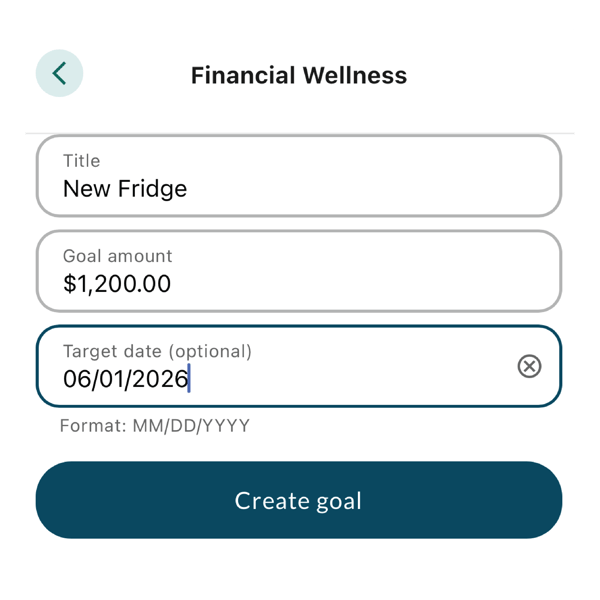
Name your goal, add your desired savings amount, and set your target due date.
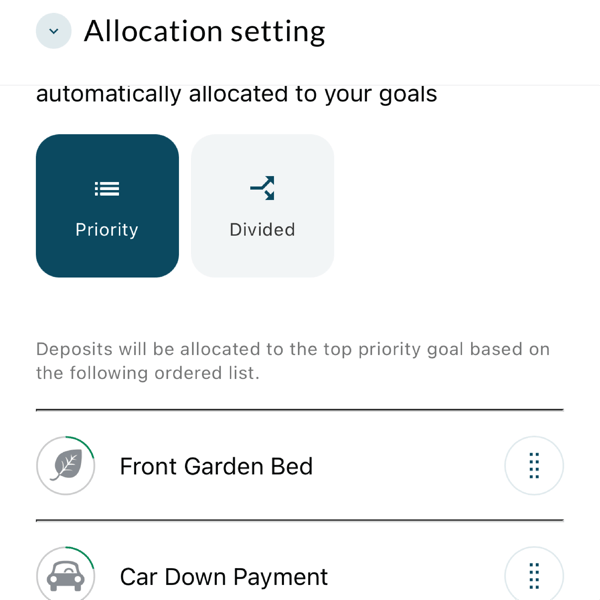
Have multiple goals? Tap the settings icon to choose how to save: prioritize or split evenly.
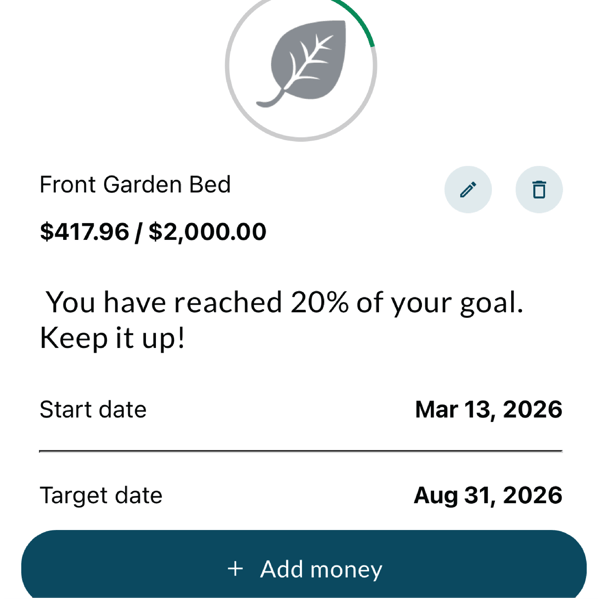
Watch your savings grow and see your progress with every deposit!

Turn small steps into meaningful progress. With Purpose Savings, you can earn up to 5.00% APY2, rewarding your growth along the way — no pressure, just momentum.

Saving is easier when it happens automatically. Whether you’re building an emergency fund, saving for a car or home, or just something fun, automatic transfers help your savings grow — one step at a time.

Skyla's free Smart Budgeting Workbook will teach you everything you need to know about creating a budget so you can jumpstart your financial success.